What I believe makes a great AI experience
As a design leader, introducing AI into a product or a team isn’t about chasing a trend or automating for the sake of efficiency. To deliver true value, an AI experience must adhere to core principles.
-
It must target genuine user pain points and streamline complex, manual workflows.
-
It must deliver reliable, transparent outputs that users can depend on for critical tasks
-
It must clearly expose citations, sources, or logic showing how it reached an answer.
-
It must empower users to review, edit, override, and offer clear mechanisms to revert actions or refine generated outputs
-
It must serve as an intelligent partner that assists decision-making without replacing human agency.
Part 1:
Team operations and scaling impact with AI workflows at Limble
At Limble, I inherited a fragmented team of six designers tasked with running two massive initiatives due in less than 10 months in parallel: a complete mobile redesign and a desktop rewrite. I needed to boost capacity and velocity without burning out the team or sacrificing quality.
Operationalizing AI for the team
Rather than mandating AI tools top-down, I personally tested every AI tool first, created prompting cheat sheets, and structured hands-on onboarding sessions:
Research & synthesis: Leveraged ChatGPT and Claude to help with research plans, synthesize user research notes and recordings, build personas, and draft initial stakeholder presentations.
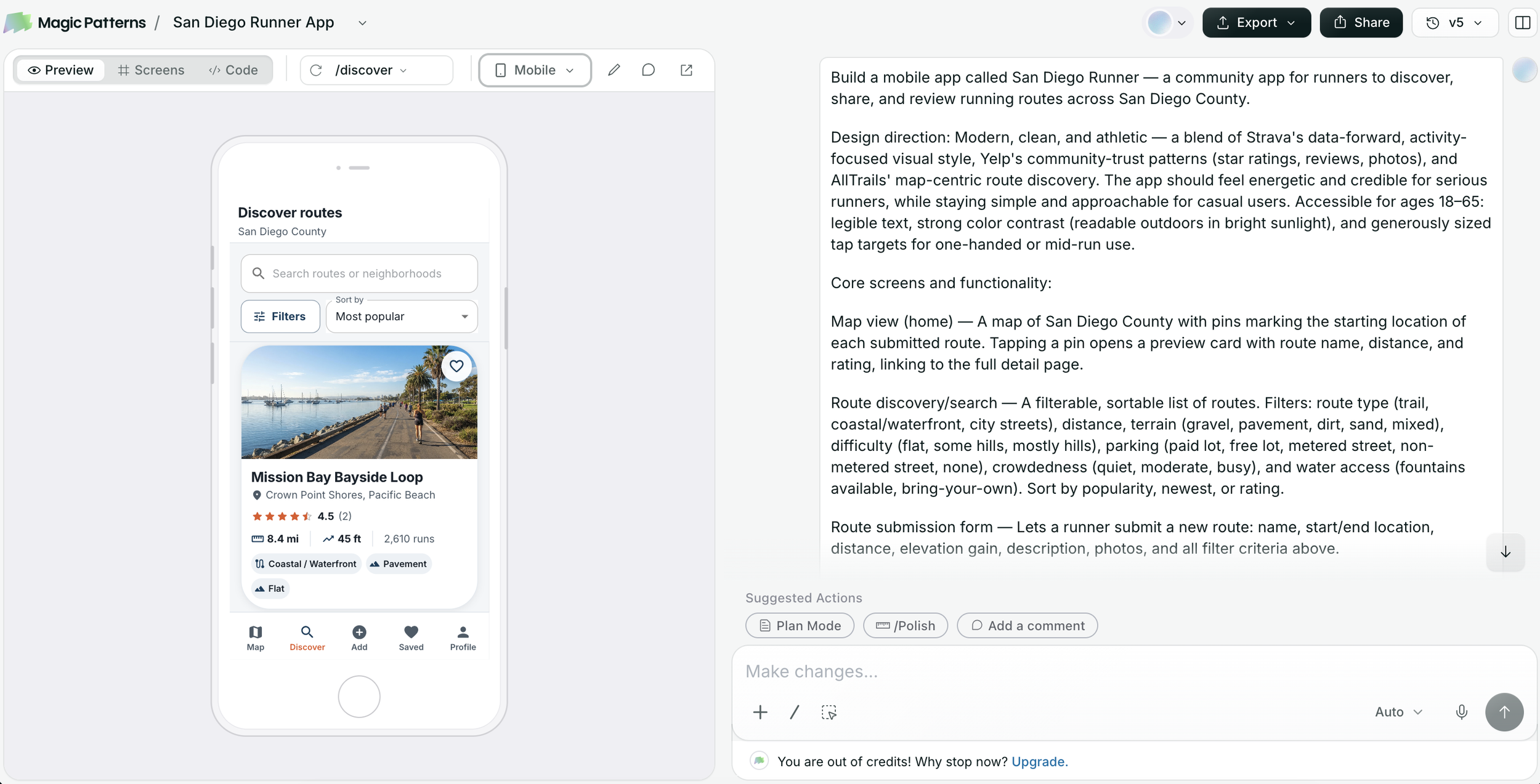
Prototyping & exploration: Integrated Magic Patterns and Cursor for code-level rapid prototyping and UI pattern exploration.
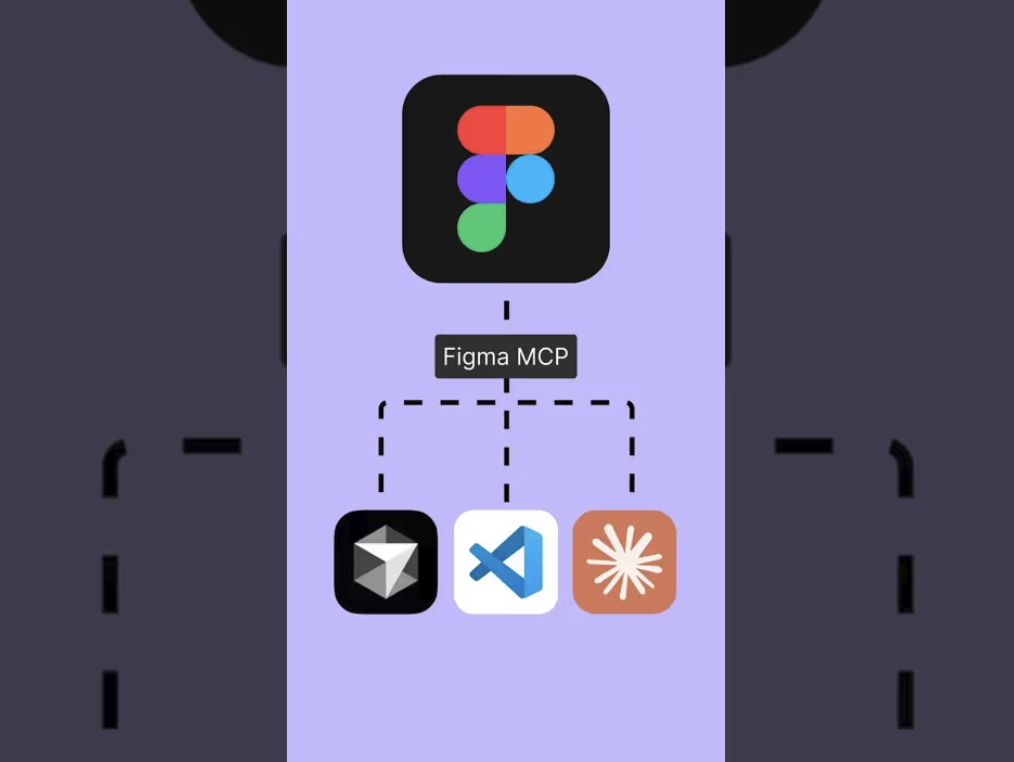
Design system integration: Connected Figma via Model Context Protocol (MCP) to link component libraries directly to dynamic prototypes.
“Work that once took weeks could now be completed in hours, and tasks that took hours could be done in minutes.”
Automating screen copy with Claude co-work
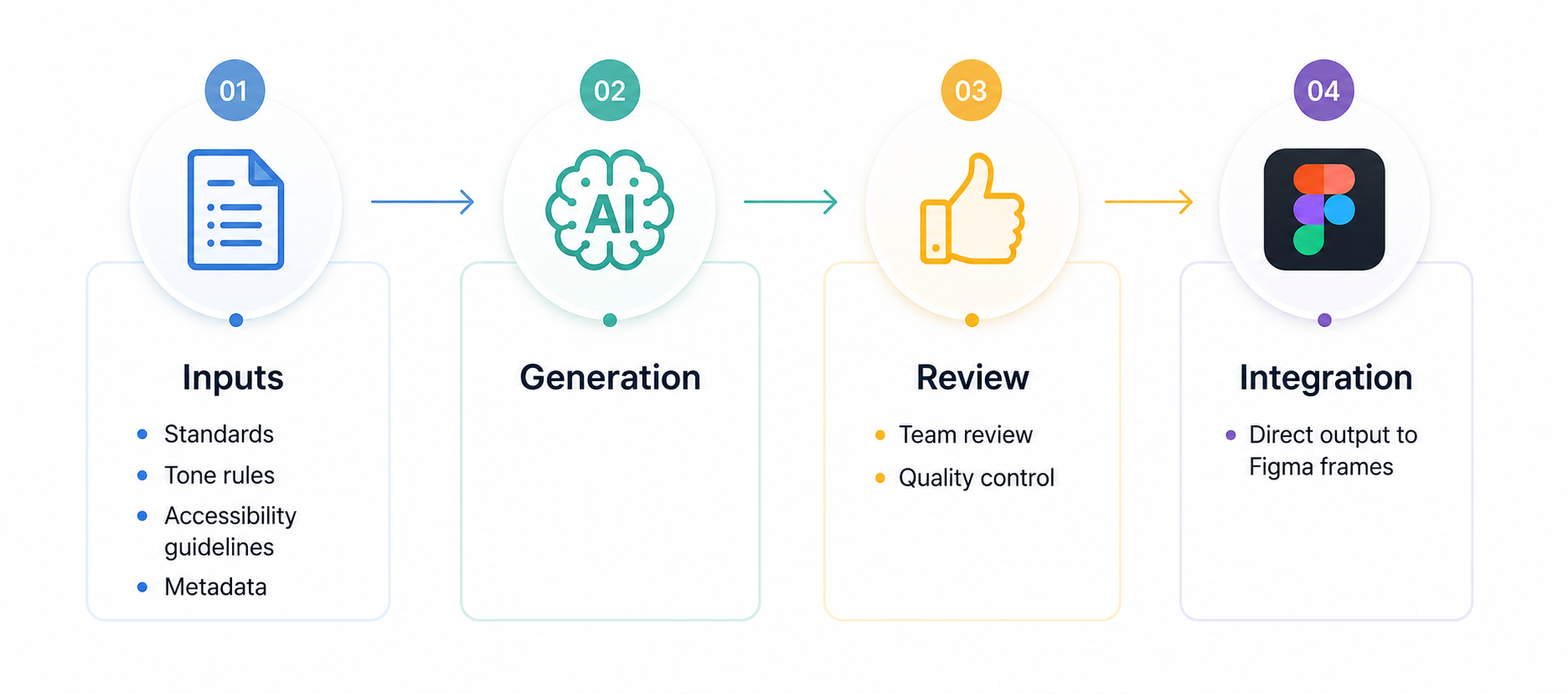
One of our biggest operational bottlenecks was writing and reviewing UX copy across hundreds of product screens. To solve this, I introduced a human-in-the-loop workflow using Claude co-work:
Guidance & context: We fed Claude clear screen copy guidelines, tone-of-voice rules, accessibility requirements, and contextual component metadata.
Automated generation: Claude generated precise contextual copy for entire user flows based on these parameters.
Human-in-the-loop review: Designers and content leads reviewed, refined, and approved the generated copy, ensuring strict quality control and brand alignment.
Direct Figma insertion: Using custom integrations, Claude pushed the approved screen copy directly into the targeted Figma frames and prototypes, placed exactly on the correct screens and components.
This workflow eliminated hours of manual text editing and multi-round copy review meetings, allowing designers to focus on core interaction flows and systems thinking.
Results & business impact
By pairing robust design infrastructure with targeted AI tooling, our small team achieved exceptional results:
Delivered ahead of schedule: Delivered the Mobile re-imagined initiative early (saving $165K+ in MRR churn risk) and completed the massive Desktop rewrite on schedule.
Increased quality & scale: Established a unified design system, lean research capability, and quality framework that enabled a 6-person team to outperform historical output.
Built an AI-ready culture: Transformed AI from an intimidating concept into a pragmatic, day-to-day force multiplier that enhanced productivity while keeping human judgment at the center.

Part 2:
AI experience patterns for building user trust
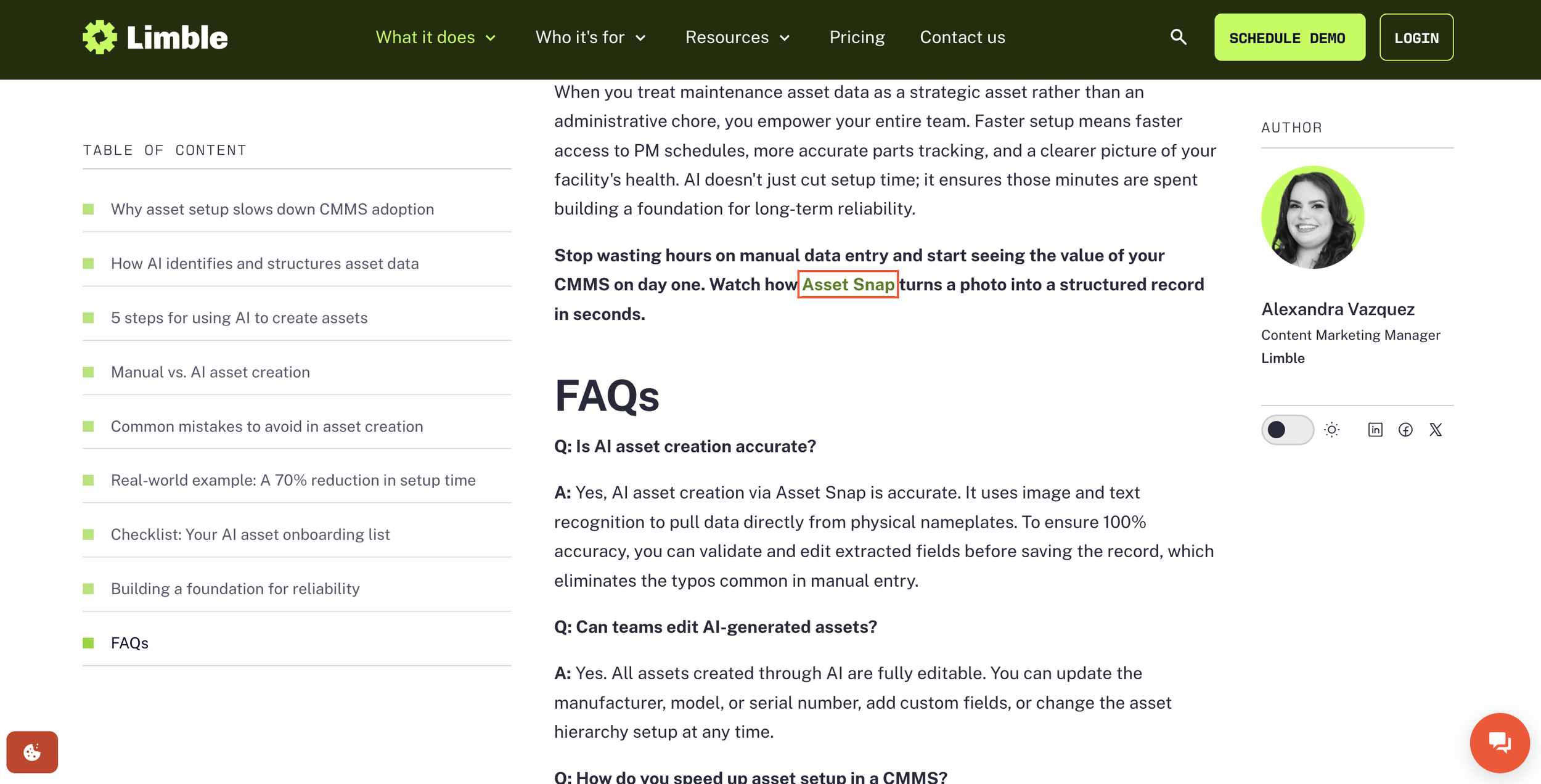
At Limble, I led the creation of a trusted AI design framework and reusable pattern library that enabled teams to build consistent, transparent AI-powered experiences.
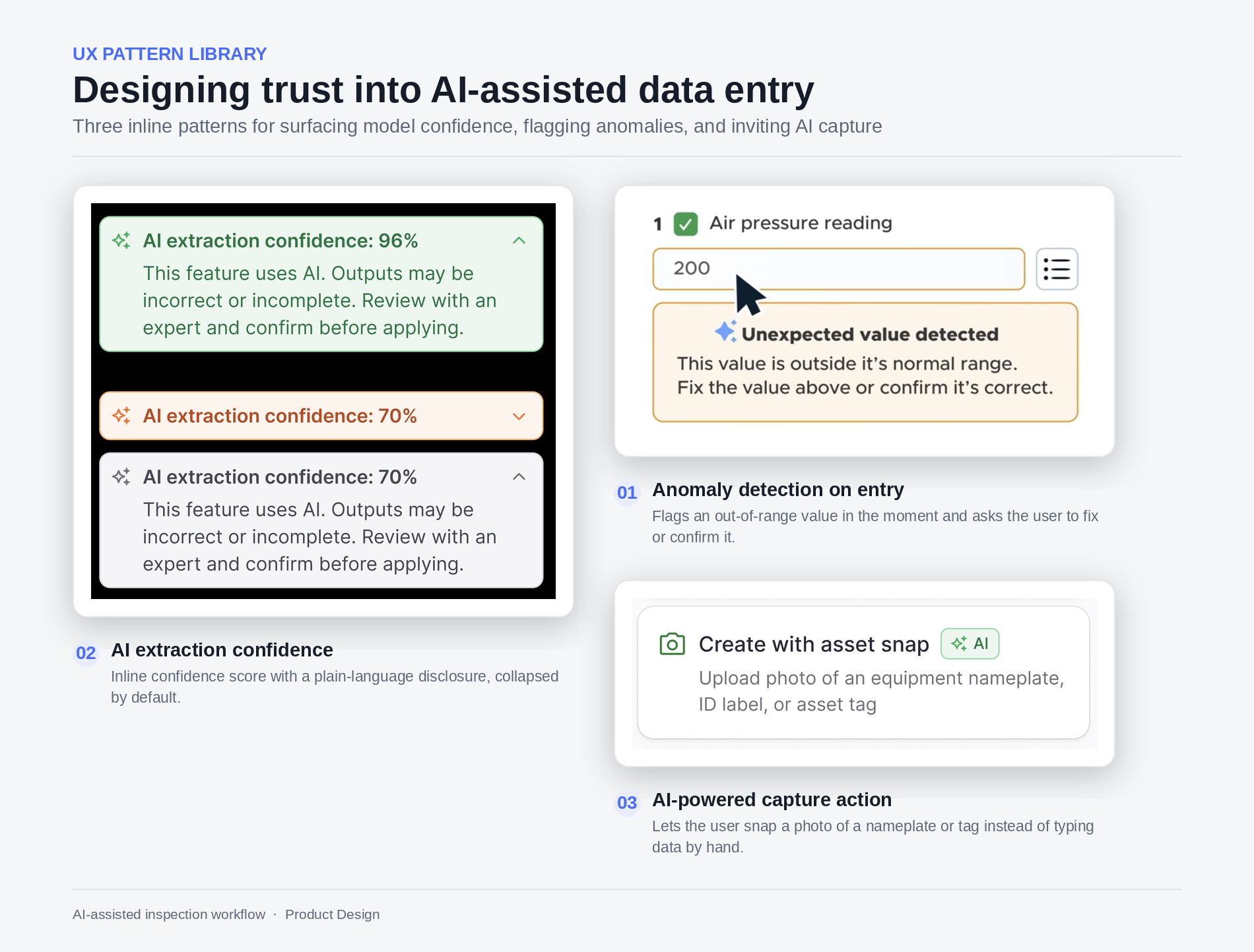
The library included standardized patterns such as AI indicators (sparkles and AI tags) to clearly identify AI-powered features, confidence scores for AI-generated extractions, structured AI findings and recommendations for human review, and explainability patterns that showed how the AI arrived at its outputs.
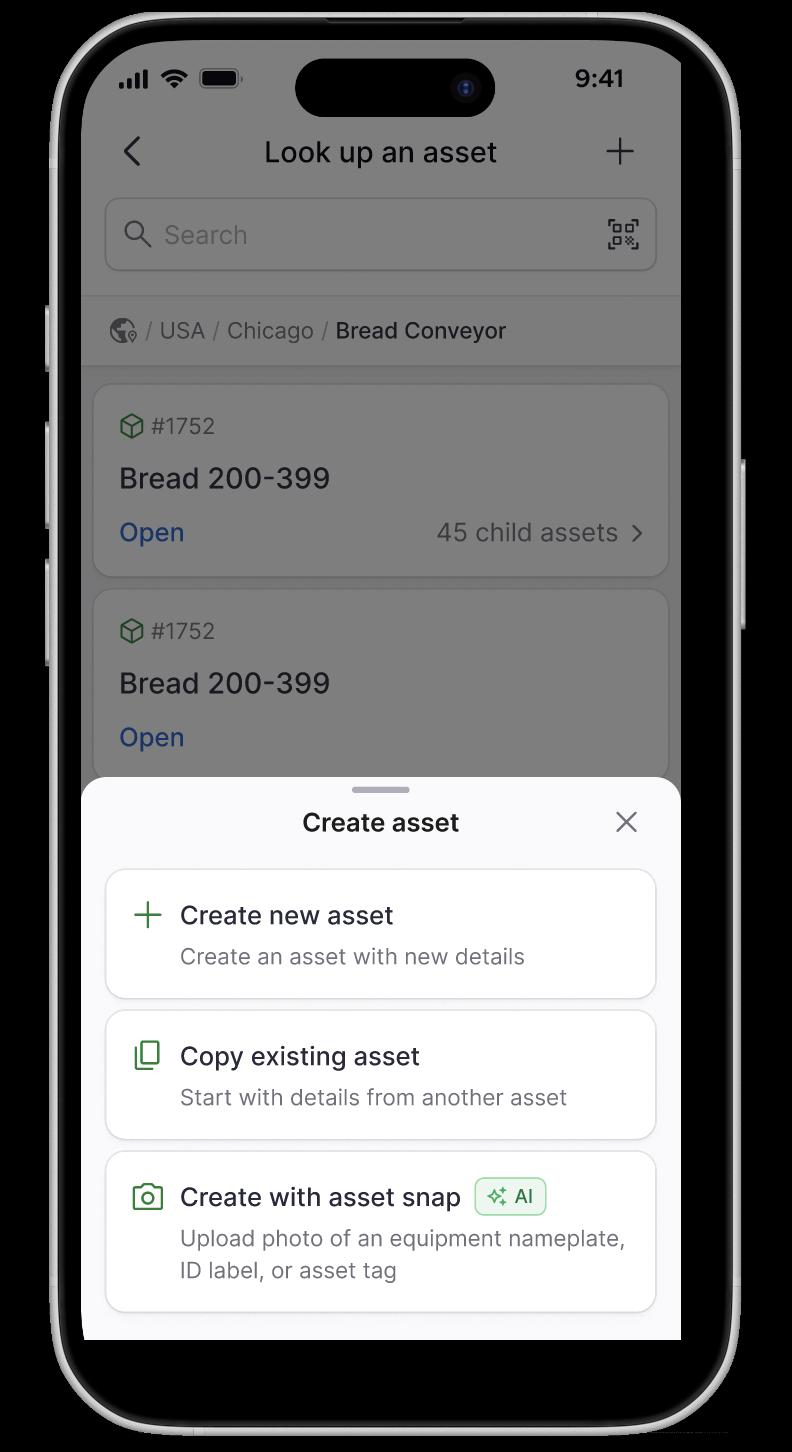
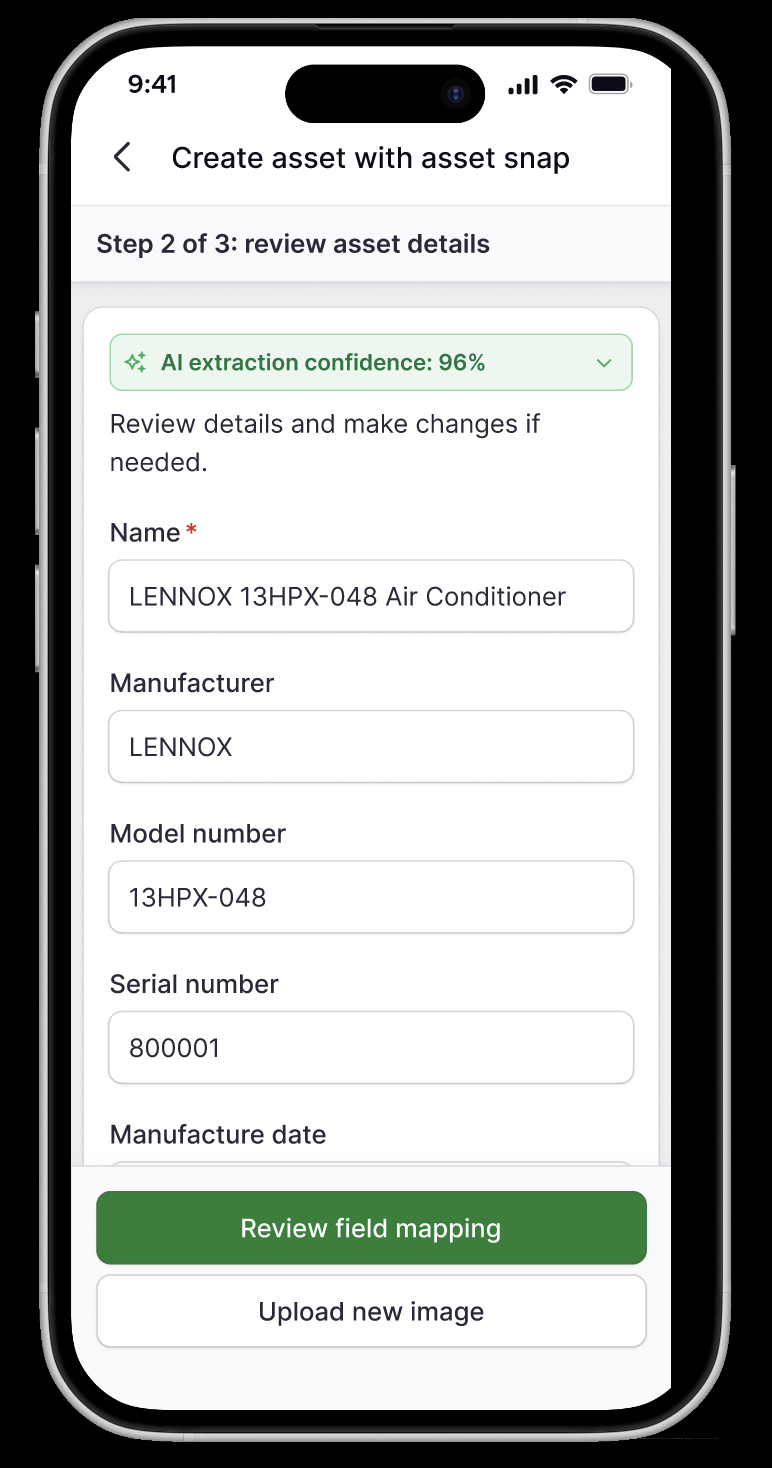
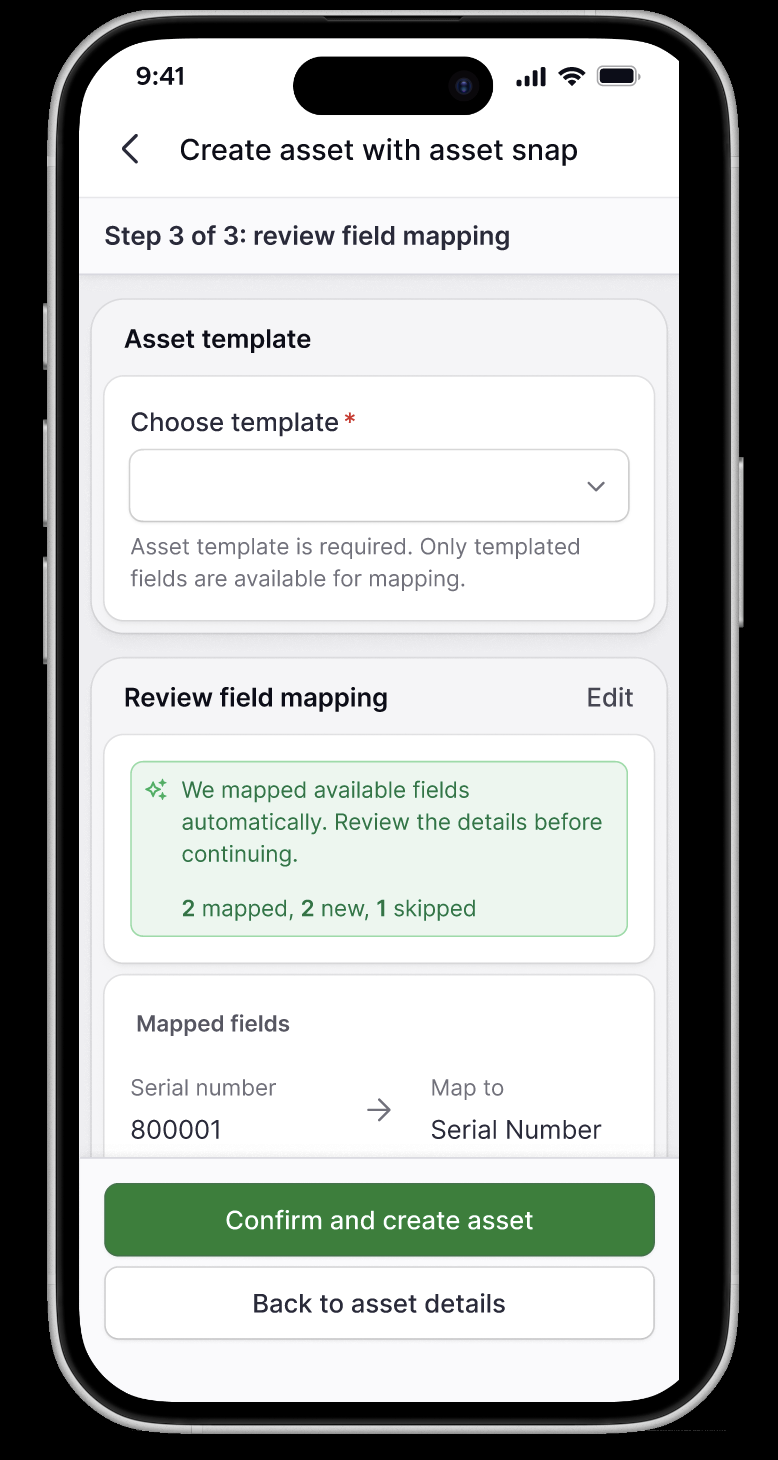
Supported by documentation and usage guidelines, these patterns helped teams scale AI experiences while increasing user trust, transparency, and adoption across both mobile and desktop products.
Part 3:
Product experiences bringing trustworthy AI to healthcare at symplr
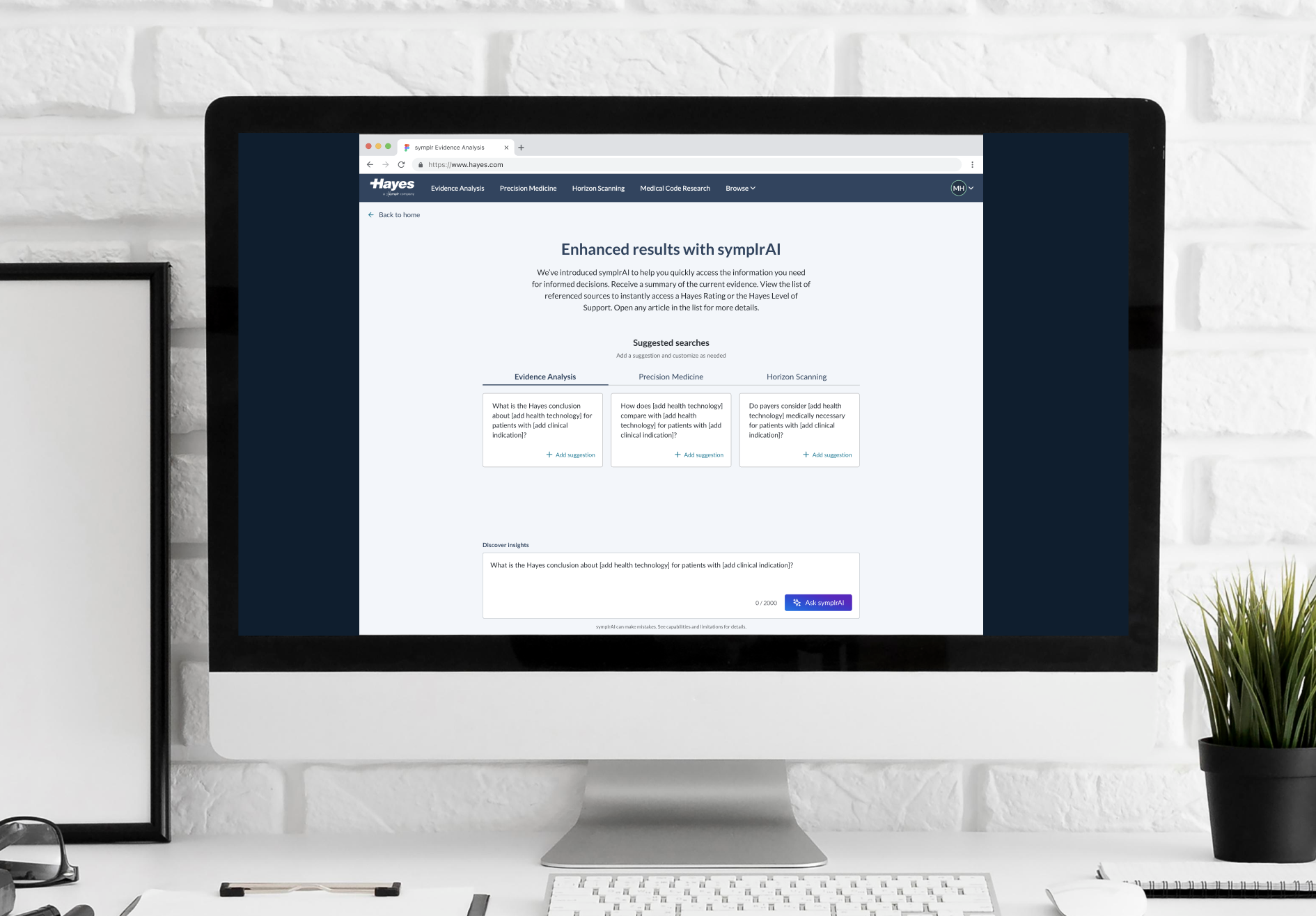
While leading design for Hayes (a symplr company), the business set an aggressive mandate to launch generative AI features within three months to maintain market leadership. Healthcare professionals, including medical policy writers, clinicians, and insurance reviewers, were spending excessive time sifting through dense clinical research and appeals evidence to make critical coverage decisions.
The problem and discovery
A rapid, one-week discovery effort revealed that the core issue wasn’t merely search performance; it was decision-making inefficiency. Scanning fragmented documents and manually synthesizing findings created slow turnaround times and heightened risk for manual error. Furthermore, domain experts were naturally skeptical of unverified AI outputs.
The strategy & solution
To bridge this gap, I led cross-functional alignment workshops and design jams across product, engineering, research, and customer success. We aligned on a core hypothesis: If we provide AI-generated answers with clear, traceable sourcing, users can complete complex workflows faster and with greater confidence?
Watch it work!
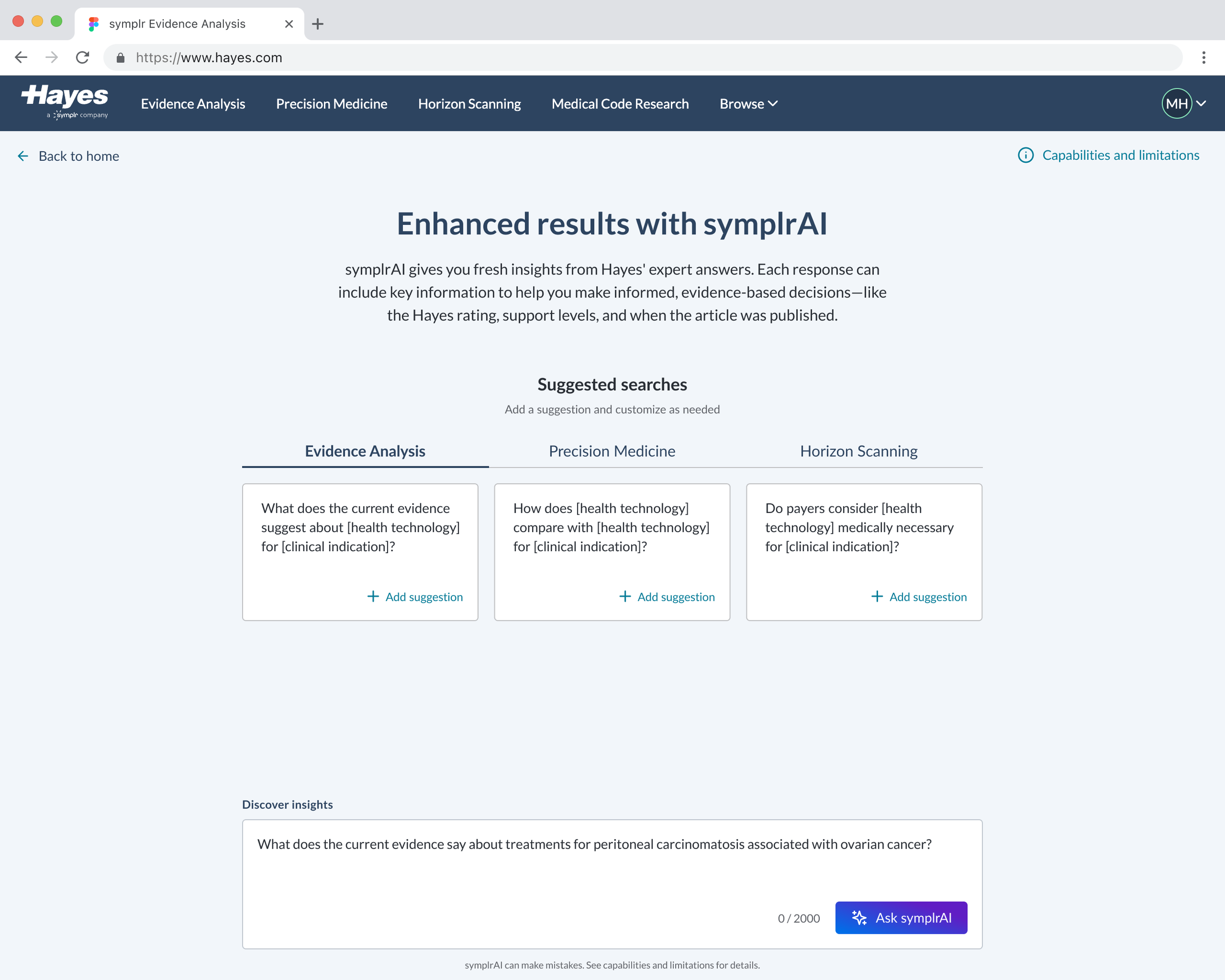
Open the video above to watch me interact with our shipped AI Phase 1 solution.
What we believed would make our AI experience trusted and value added:
Earn trust and learn
Be transparent about AI’s limitations, help users understand how it works, and create feedback loops through ratings and user feedback that continuously improve the experience. Provide documentation to help users understand how it works, and create opportunities to rate outputs and give feedback.
Pressure-tested for bias
Evaluated the model across diverse scenarios and user needs to identify and mitigate potential bias before launch.
Show the sources
Made it clear where AI-generated answers come from by surfacing the sources or references used.
Keep humans in control
Gave users the ability to intervene, correct, override, or take control whenever AI gets something wrong or when human judgment is needed.
Help users get started
Made AI's capabilities discoverable by suggesting example prompts and giving users a clear starting point for what they can ask.
Learnings and impact
Delivering the Phase 1 MVP in three months allowed us to gather immediate feedback from early adopters.
We learned that while users appreciated rapid summarization, they initially spent time double-checking outputs if citations lacked precision.
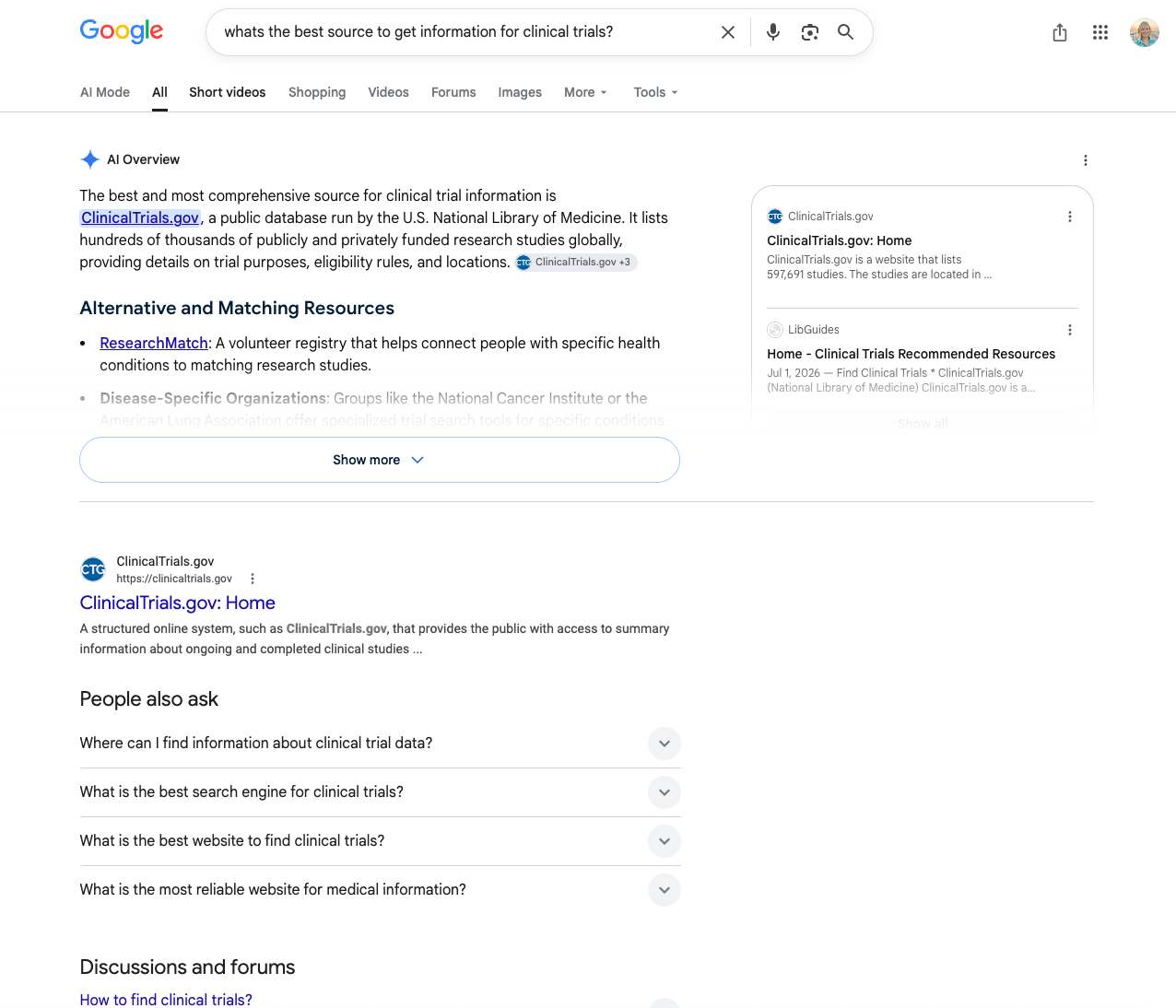
Users shared they might trust and find the AI search more helpful if search results worked like Google.
This insight directly shaped Phase 2, driving us toward section-level source linking (like Google search results) as users were familiar and trusted that pattern, especially in results where it quotes exact text from the source, helping to ensure complete transparency, trust, and speed.